
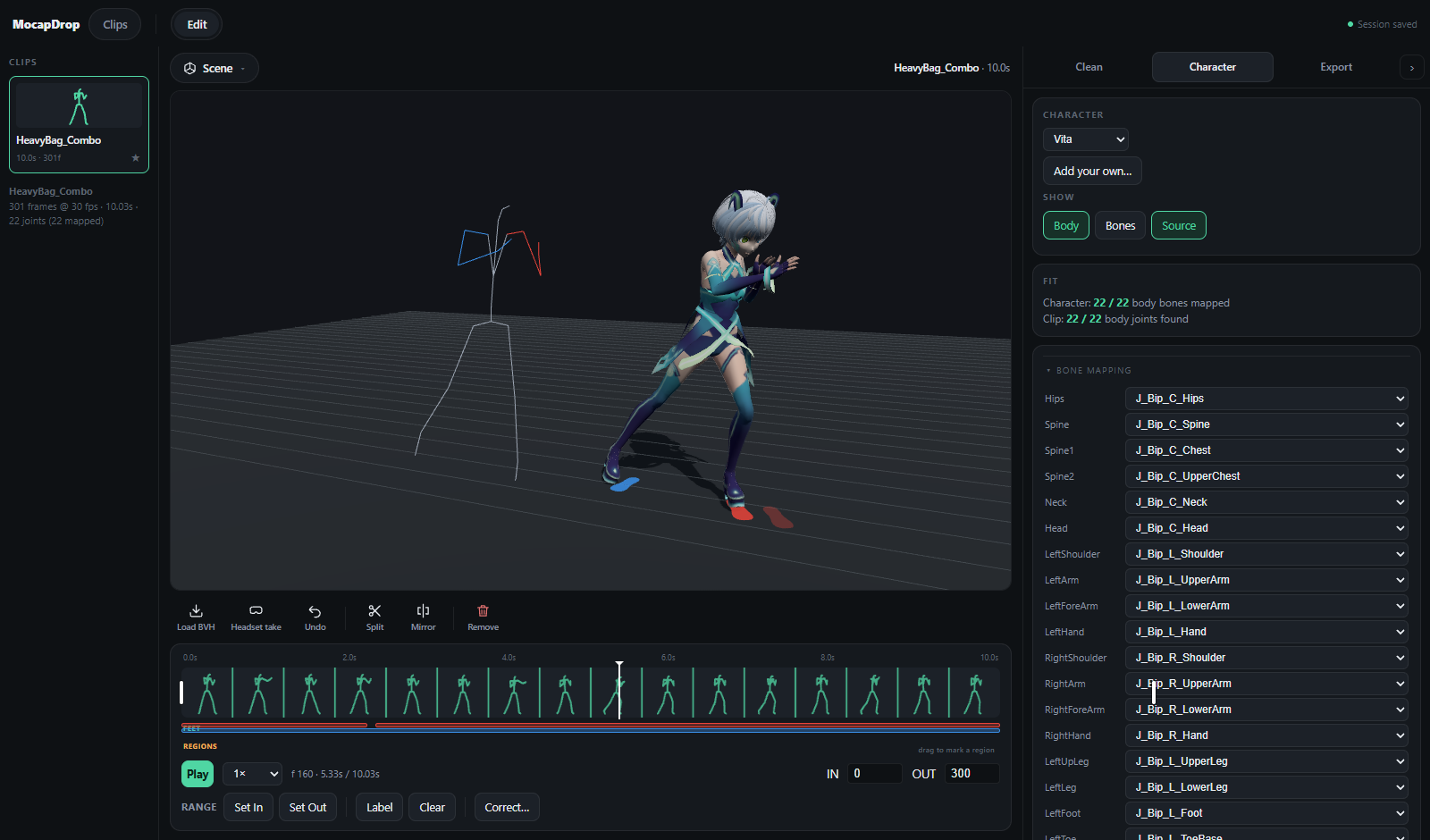
Bring Any Rig
Ships lean with Studio Mannequin & Vita (52 ARKit shapes), or drop your own .glb / .vrm character. Auto-maps 22 body bones + 30 fingers with manual slot override.
Your character. Your edits. Ready for your engine.
Standalone Windows desktop installer (.exe) · No account required · Beta v1.0.2
↓
Ships lean with Studio Mannequin & Vita (52 ARKit shapes), or drop your own .glb / .vrm character. Auto-maps 22 body bones + 30 fingers with manual slot override.
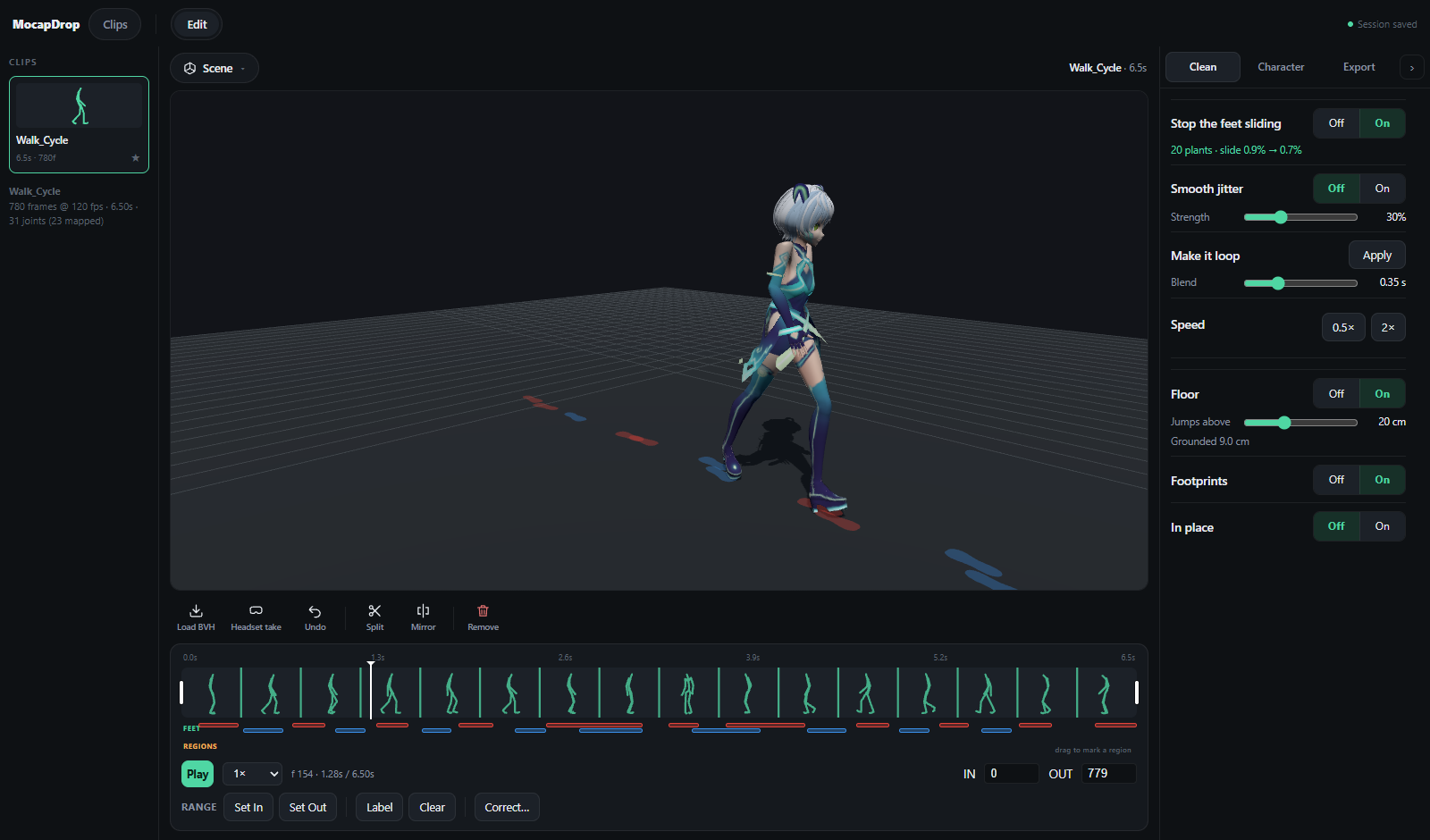
Stop sliding feet with clickable floor contact spans, guard against floor clipping, smooth jitter, and blend seamless loops locally on your PC.
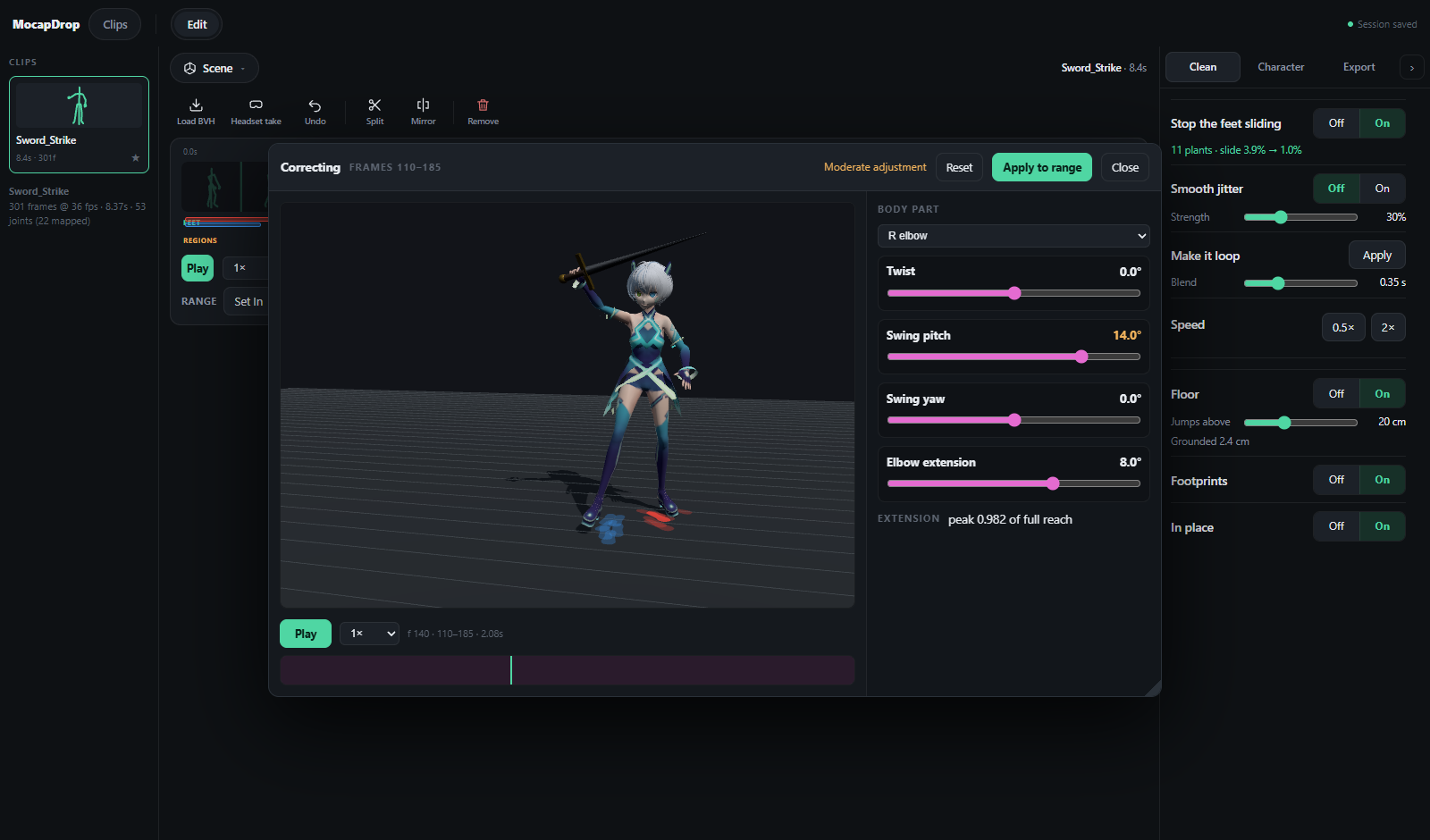
Dial twist, pitch, yaw, and reach over any frame range while watching your character and held props update in real time — no round-trips needed.
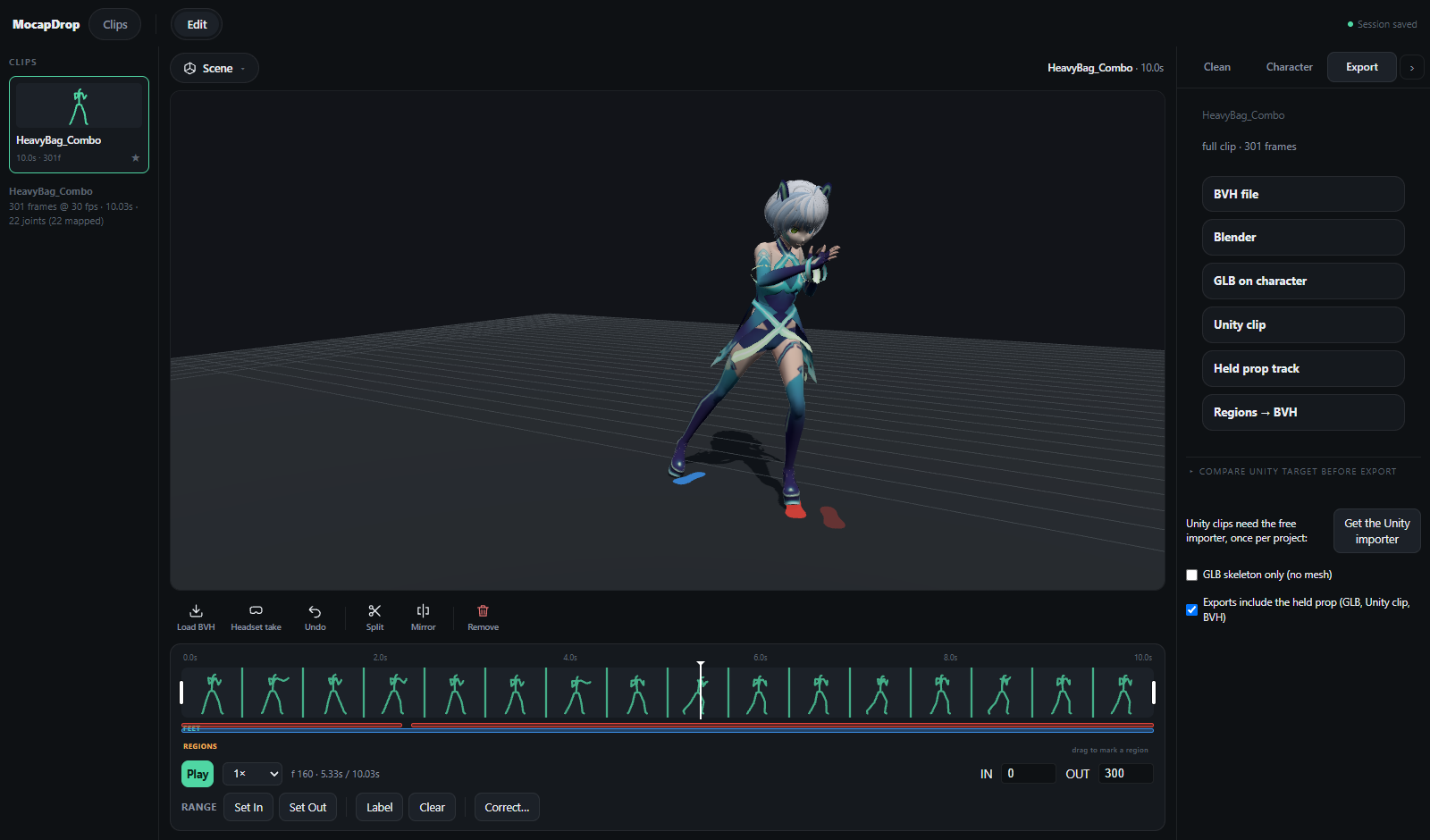
Every trim, foot-lock, loop, and joint correction bakes straight into full-character .glb (mesh & materials intact), skeleton-only .glb, cleaned .bvh, batch regions, or a Blender import script.
Side-by-side inside MocapDrop's Compare view: raw heavy-bag video on the left, Vita retargeted and foot-locked live on the right.
Face blurred for privacy · Foot Lock + Floor Guard active · Retargeted live onto Vita
Drop any .glb or .vrm character — auto-mapped across 22 body bones + 30 fingers with manual slot overrides.
No node graphs or terminal commands. Pick a task to see the exact clicks inside MocapDrop.
Click Load BVH or drag any .bvh file onto the viewport. Use the included Start Here - Arm Raise.bvh to sanity-check your setup in seconds.
Open the Character tab on the right to choose Mannequin or Vita, or hit Add your own… to load any uncompressed .glb or .vrm.
Check the green FIT summary (up to 22 body bones + 30 fingers). Expand Bone mapping whenever you want to swap a single slot manually.
Character let you compare Mixamo, VRM, CMU, and Character Creator bone conventions without importing external files.
Open the Clean tab and turn Stop the feet sliding and Floor to On. Red and blue footprint targets appear right under your rig.
Click a floor footprint to remove or restore a plant, or drag directly on the FEET timeline lanes to pin a slipping step by hand.
Dial Smooth jitter strength to taste, or click Make it loop with your preferred blend window. Toggle In place off when previewing room travel.
Undo (Ctrl+Z) or toggle switches off anytime.
Scrub the timeline and press Set In (I) and Set Out (O), or drag the white trim handles to isolate just the punch, turn, or transition.
Click Correct… below the timeline and pick any body part (such as R elbow, shoulder, hand, or foot) from the selector.
Adjust Twist, Swing pitch, Swing yaw, and extension sliders while scrubbing playback live, then click Apply to range.
Space plays or pauses, I / O set range bounds, Ctrl+Z undoes edits, and N collapses the right panel for a wider view.
Under Character → Props, pick Sword, Shield, or + Load prop (.glb)…. Pick Left or Right hand, adjust offsets/curl, and click Save grip.
With Vita or any rig carrying ARKit blendshapes, open Character → Face and pick a preset (Neutral, Focus, Alert, Blink) or tune sliders.
Move the playhead to where a blink or expression shift happens and click Add face key. MocapDrop blends smoothly between keys and bakes them into full-char .glb.
Open the Export tab. Optionally expand Compare Unity target before export to verify bone names, hands, feet, and bind pose against your project GLB.
Click Get the Unity importer (or drag the included MocapDrop-Unity-1.1.0.unitypackage from the Beta Kit into your Unity Assets folder).
Click GLB on character (uncheck skeleton-only for mesh + expressions), BVH file, Blender (.py script), Unity clip (.mdanim), or Regions → BVH.
We're building a companion VR headset capture app plus optional single-camera leg tracking so you can record full-body performances locally and edit them directly inside MocapDrop.
Record true head aim, controller hand roll, and grabbed weapon/prop tracks directly on your VR headset. Local Headset take folder/zip import is underway, with direct network handoff into MocapDrop coming next.
Point a phone running MocapCam or a regular desktop/phone camera at your lower body for separate leg & footwork tracking — fused locally with your headset upper body on your own PC.
Optional Lower-Body Camera · 100% LocalOnce captured, headset upper body and camera legs flow right into the same MocapDrop cleanup tools — apply Foot Lock, tune joints live, swap onto your custom .glb/.vrm, and export to your engine.
Test the desktop app free in public beta today. Zero subscriptions.
Full Windows desktop app for testing your own rigs & BVH files now.
Indie creators, animators & studios · Up to 2 PCs · 14-day refund.
Installs as a real Windows desktop program with a Start Menu shortcut and standard uninstaller. Uses Microsoft Edge WebView2 (already built into Windows 11). The Starter Pack (.zip) bundles Start Here - Arm Raise.bvh, MocapDrop-Unity-1.1.0.unitypackage, and START HERE.md. During public beta the installer is unsigned — if Windows SmartScreen appears on first launch, click More info → Run anyway.
20552f502f12e685ac3060265a97fbc51abcff077dbbb861566026cd7e863852
4ba96ca41cdacb2509de05df8339b97418babff18299da58598c999dd4eb67cc
Export full-character .glb or generate a ready-to-run Blender .py import script in one click.
Bake clean Unity animation clips directly from Export, or grab the included MocapDrop-Unity-1.1.0.unitypackage.
Export baked full-mesh or skeleton-only .glb and clean .bvh with zero cloud processing.
MocapDrop ships with Studio Mannequin and Vita (CC0 1.0, 52 expressions), and lets you drop any uncompressed .glb or .vrm (0.x / 1.0) using Mixamo, UE5, VRM, Character Creator, Rigify, Daz, or CMU naming — with manual bone-slot overrides. Exports open directly in Blender, Unity, Unreal Engine 5, and Godot.
The v1.0.2 public beta installer is currently unsigned while we gather tester feedback. You can verify the exact SHA-256 hash shown above in PowerShell (Get-FileHash), then click More info → Run anyway in Windows Defender SmartScreen to install the desktop app.
Beta v1.0.2 includes the standalone Windows desktop editor with BVH loading, Studio Mannequin + Vita facing/auto-mapping, Foot Lock & Floor Guard, clickable contact editing, live joint corrections, custom props, Vita face keys, and GLB/BVH/Blender/Unity exports. The companion VR headset recorder and separate camera leg-tracking integration are actively in development for an upcoming release.
Yes. All BVH takes, custom characters, props, and exports stay 100% local on your Windows PC. After one-time installation (which fetches WebView2 only if missing on older Windows 10 systems), no account or upload is needed.
Yes. You retain 100% ownership and full commercial rights to every animation you clean and export, with zero royalties or revenue caps.
Grab Beta v1.0.2, drop your own character and BVH files, and send any feedback straight to support.
Download Windows Beta